Wednesday, April 29, 2015

Final Project: Local Old Boston Statehouse


For this final project I was assigned to make a building modeled after the Old State House in Boston, Massachusetts. This was time consuming but ultimately pretty fun to do. I built it using the dimensions we used in class. This is 39 blocks long, 12 wide and 14-16 in height. The height is difficult to measure due to the different levels in the front of the building. 

First I cleared the ground. There was little flat terrain in the world so I found the least mountainous area and began to level out the ground. This was difficult because there were so many different layers in the area. Just this part alone took at least an hour but once it was done I think the land looked pretty good if I do say so myself. (:


Once I leveled the land, I began to form the outline of the building. I dug a level into the ground so that it would be easy to build up from there and have the shape outlined. Making enough room in this area was difficult and required even more landscaping than I had originally thought. 


After filling in the base with bricks I then began the side of the building. I chose Nether Bricks because it was the type of brick that most similarly reflected the Old State House in Boston. Lining the blocks was a balancing act while my person stood on the blocks and ran backwards laying them out. I fell off of the building quite a few times but ultimately the building came out like I had hoped. 


I then began adding the roof. This was the least time consuming of all the work on the building. Running backwards while floating rather than standing and balancing on other bricks is much easier in my opinion. 

I built the levels on the roof that seemed to most resemble the actual building. 


I put the steeple on the top using sandstone blocks and glass blocks. To add a little more flair I put two torches on top of the sandstone blocks.

I then began adding windows to the building. I used the glass pane to set them in a realistic manor. 


I attempted to add the front clock to the building. That was no easy task while working with just blocks and no circles. I used the sandstone blocks to make the outline and then added metal bars to the center and angled them in a way that appear to be the hands on the clock (or as close as possible). I then added to the roof with stone. And finished up!


This is the actual Old State House:


This is me building in Minecraft, emulating The Old State House in Boston, MA. It is a final exercise from the Immersive Education course that I am taking at Boston College. The course is called Discovering Computer Graphics. For details, visit the immersive BC portal at http://ImmersiveEducation.org/@/bc

Thursday, April 23, 2015

My Final Area

These are the screenshots from my final project. In this we began building the Old State House in Minecraft based on actual dimensions and appearance. We began building a platform in the middle of the water and from there we began the actual building along with a walkway to connect to the land. The coordinates of where we are building are: -485, 63, 816. Here is a link about use of coordinates in Minecraft: http://minecraft.gamepedia.com/Coordinates


Class 12: How 3D Computer Graphics Work

For this assignment I watched a YouTube video about basic 3D Computer Graphics. After watching it I realized how little I had originally known about 3D Graphics. The use of 3D Geometry to create the 3D Objects we see is immense. This is used in video games, animated movies and many other things. Below I took screenshots to help viewers of this post get an idea of what I am referring to. The link to the youtube video is: https://www.youtube.com/watch?v=pfV-4CKj3PQ&feature=youtu.be

First we learned about polygons and vertices. The vertices are essentially lines that can either be by themselves or linked together to make shapes in any 3D space.They are connected to each other by the vertex. If they are linked together they make shapes otherwise known as polygons. Polygons are extremely essential in 3D Modeling.


 3D game models are ALL made of little triangles which are the most basic form of polygons. If you look at the basic structure of a 3D model before it is texture mapped it is clearly made of all polygons. This is known as the polygon mesh. You can use 3D Modeling software to make a 3D Model out of the polygons. Some softwares also use a quad polygon for planes.

Lighting is very important to make the object look realistic. 3D Shading adds a light to the scene and adds lighting to the model as if it was in real life. The lighting is essential to helping the movements and actions look realistic. There are perpendicular vectors sticking out of each polygon. These vectors are called normals and determine where the lighting is hitting. Normals are usually managed by the software one is using. When a part of the object is facing away from the light then it will become darker.


Wednesday, April 15, 2015

WebGL Chrome Experiments the FAIL IN FIREFOX

For this assignment I found 3 different experiences on https://www.chromeexperiments.com/ and attempted to use them in Firefox. Many of the games actually worked pretty well (though at times glitchy) however some did not work at all. 

The first experience I tried in Firefox was Palette Swap (samcodes.co.uk/webgl/palette-shader/). I used Palette Swap for my other assignment on Chrome and so I thought I would compare the two. The experience was usable. It was somewhat glitchy but that could also be attributed to my spotty internet connection. The biggest difference I noticed was the "3D" aspect. On Chrome the shapes seems to come out at you when you move your fingers along the track pad. This was not the case in Firefox. It just appeared to be shapes changing color and nothing more. This was definitely more interesting to use when on Chrome. 


The second experience I tried on Firefox was CRU CI Form (clicktorelease.com/code/cruciform/). This actually caused my computer to freeze. The first screenshot is a picture of when my computer froze as it attempted to load the graphics in this experience. Finally my computer unfroze and let me inside the experience. The graphics were cloudier than on Chrome. I picked "Normal" as my option for quality but the quality was definitely less than normal. 


The final experience I chose was CSS Space Shooter (michaelbromley.co.uk/experiments/css-space-shooter/). This was a game where began with flying lessons. When I first clicked on this experience it says in the yellow bar (in the screenshot below) "This experiment might not work properly unless your run it in the latest versions of the Chrome browser. Sorry!" The game was somewhat glitchy once I finally got into it. It was not as glitchy as CRU CI Form but it was still not ideal for playing a game for fun. 


Tuesday, April 14, 2015

WebGL Chrome Experiments using Google's Chrome Browser

The first 3D Experience I chose was the GPU Curl Meshes. This was pretty cool and probably my favorite over all. The light and designs moved around with the mouse. The top screenshot is a view from the side and the bottom one is from the top. 
The link to the game is:  http://cabbi.bo/InstanceMesh/Curl/


The second 3D Experience I chose to use was Cube Runner. The object of the game was to move in such a way that avoided the cubes. Unfortunately most of the time I ended up hitting the cubes. It was somewhat glitchy which made it difficult to avoid hitting the cubes and therefore I kept losing. 
This is the link to the game: http://www.game5.com.de/cuberunner/index.html


The final game I played called Street Lights which was cool but did not seem to work very well. It was visually good looking and played Christmas music which was cool however when I moved the mouse nothing much happened. "Merry Christmas" popped up as well as a face on the moon. You can see the difference in the two screenshots. 
This is the link: http://inear.se/streetlights/


Thursday, April 9, 2015

Final #3: Group 3D Building Project

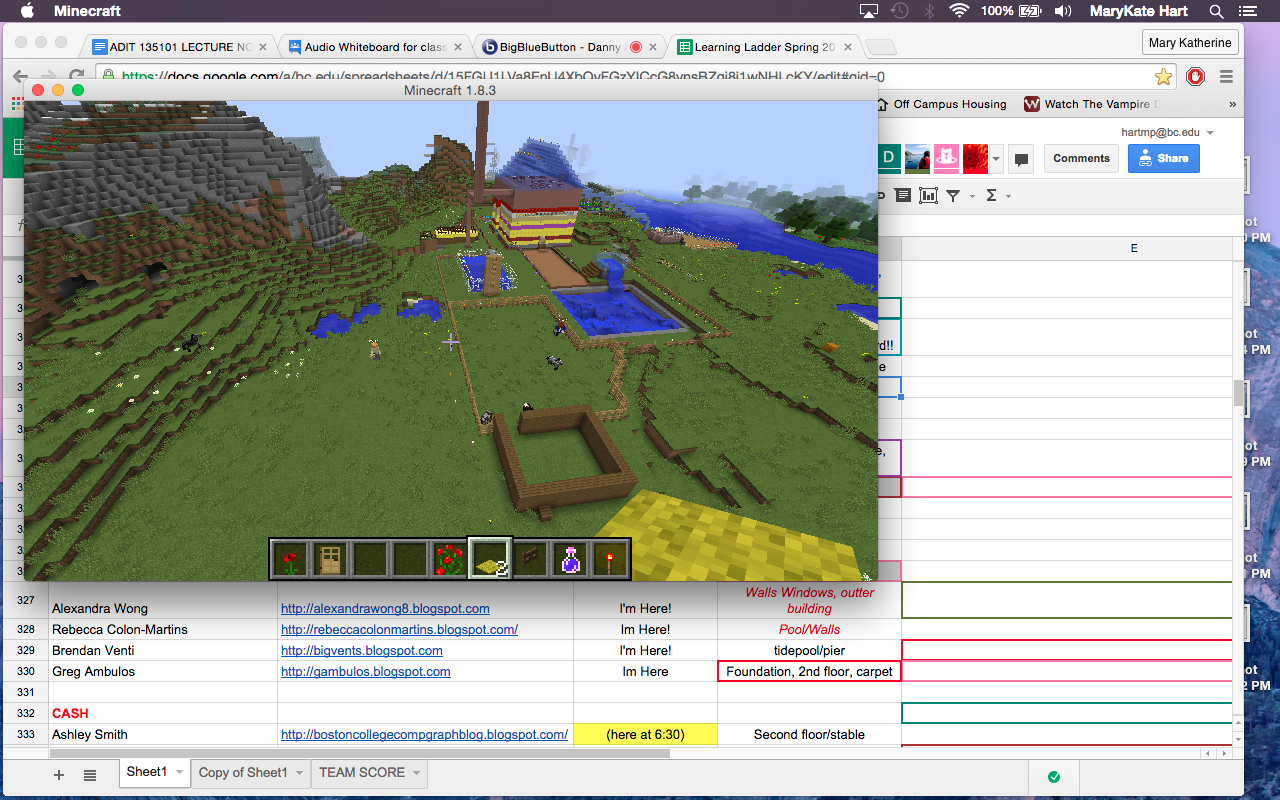
For this final I met with the class at a specific area. We had our assignments on what to build as well as random idea that came along the way. The entire time we communicated through whiteboard and attempted to have everyone (most people) gather in the same spot. We used coordinates to meet up which could be attained by the "FN F3" Buttons. 


People began building. It was hectic at first trying to locate everyone as well as have everyone working together in tight quarters but eventually we figures it out. 


The first thing I built was a garden outside the building. I sed four different type of flowers as well as a rose bush. It then rained which was pretty good because that's what the flowers need to grow!


I then added a bench on either side of the walkway someone built. 


I put down some railroad tracks but this turned out to be unsuccessful. The train tracks could not turn and therefore  could not connect to one another. 


Demetri made an extremely large diving board that extended past the clouds. I jumped into the pool from it. 


Ashley and I also made a stable. We headed all of the animals in it. Eventually an excessive amount of pigs ended up in it and we had to kill them in order to maintain a good amount of space. 


In the following two screenshots we met up and went to the loft with the glass roof and all took photos. Unfortunately it is hard to take a group photo all together but We pretty much involved everyone. We also put animals up there to play with such as bats, lambs, ocelots and other animals. 


Here is a photo of the pigs that overpopulated the stable we built. 


 At one point we found out that lava does not stay within its parameters and expands. We had to put out the fire... and then caused a slight flood. But finally recovered! 

Here is a photo of some of the buildings we made.


This is a final where the entire class built together in minecraft. It is a final exercise from the Immersive Education course that I am taking at Boston College. The course is called Discovering Computer Graphics. For details, visit the immersive BC portal at http://ImmersiveEducation.org/@/bc.